Creating an application can seem daunting, but with modern no-code tools, anyone can develop functional apps tailored to their needs without extensive coding experience. Whether you’re aiming to streamline business operations, develop a personal project, or explore innovative ideas, understanding the basic steps involved in app creation is essential. This guide will walk you through the core processes of designing, customizing, and managing your app, emphasizing user-friendly methods and best practices for success.
—
Introduction
In today’s digital landscape, building an app does not require advanced programming skills. Platforms like AppSheet enable users to create powerful mobile and web applications through intuitive interfaces and simple workflows. These tools are designed to help businesses of all sizes improve communication, automate tasks, and foster innovation efficiently. By following a structured approach, you can develop a customized app that fits your specific requirements, whether starting from scratch or leveraging existing data. For those interested in expanding their development network, exploring opportunities to connect and collaborate with other creators can be highly beneficial.
—
Creating Apps with AppSheet: The Simplest Approaches
AppSheet simplifies app development by offering multiple entry points suitable for different project needs. Its no-code platform allows you to quickly bring your ideas to life through various methods:
Start with a Blank App
The most straightforward way to begin is by selecting Create > App > Blank app within AppSheet. This option generates a basic application with default data stored in AppSheet’s native database. You can then customize views, add features, and scale your app as you see fit. This method is ideal for users who prefer full control over their app’s structure from the ground up.
Use Gemini, the AI Assistant
Gemini is an AI-powered helper integrated into AppSheet that enables you to generate an app by describing your idea in natural language. Simply select Create > App > Start with Gemini in the editor, provide a brief description of your workflow, and let Gemini assist in building the app automatically. This approach is perfect for those who want quick results without detailed planning.
Build from Existing Data
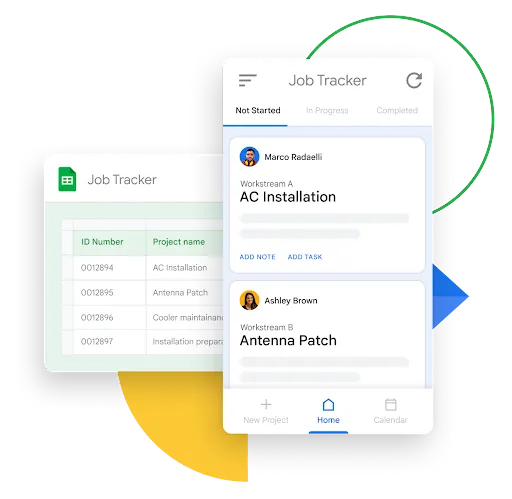
If you already have data stored in platforms like Google Sheets, Microsoft Excel, or Cloud SQL, you can choose Create > App > Start with existing data. AppSheet can connect to these sources, interpret your data, and help you craft an app tailored to your dataset. Ensure your data is well-organized with clear headers to facilitate seamless integration.
Utilize Pre-Built Templates
To accelerate development, you can select Create > App > Start with a template. AppSheet offers a library of templates designed for common use cases. Pick a template that matches your needs, customize it as required, and deploy your app quickly. This method is excellent for those seeking a ready-made solution with room for personalization.
—
Customizing Your Application for Maximum Impact
Once your basic app is created, customizing it is crucial to ensure it meets your specific needs. AppSheet provides a suite of flexible features to enhance functionality and user experience:
- Data Management: Structure and manage your data effectively to gain meaningful insights. Proper organization allows for better analysis and decision-making.
- User Interface Design: Create intuitive, user-friendly screens that are easy to navigate, increasing user adoption and satisfaction.
- Automation and Calculations: Implement rules and workflows that automate repetitive tasks, improve data accuracy, and streamline processes. Automations can be triggered by events or schedules, saving time and reducing errors.
- Advanced Features: Explore options like barcode scanning, GPS integration, or offline access to expand your app’s capabilities.
To deepen your understanding, consider exploring additional resources on customizing applications for various platforms and use cases.
—
Managing and Sharing Your App Effectively
After development, it’s essential to oversee your app’s operation and ensure it continues to perform optimally. AppSheet offers management tools to monitor usage, troubleshoot issues, and implement updates smoothly:
- Collaboration and Deployment: Enable team members or stakeholders to contribute by sharing editing rights and managing app versions. This collaborative approach ensures ongoing improvement and timely deployment.
- Version Control: Maintain multiple versions of your app, allowing you to experiment with features or revert to previous iterations if needed.
- Cross-Platform Compatibility: Ensure your app functions seamlessly across iOS, Android, and web browsers, reaching users wherever they are.
- Performance Monitoring: Track user engagement and app performance metrics to identify areas for enhancement and make data-driven decisions.
For detailed guidance on managing your applications, check out authoritative resources on app lifecycle management.
—
Summary
Building an app has become more accessible than ever thanks to platforms like AppSheet, which cater to users with varying levels of technical expertise. From starting with a blank canvas to leveraging AI assistants or existing data, the pathways to app creation are diverse and flexible. Collaboration and version control features simplify teamwork, while management tools help maintain and optimize your application long-term. Whether you’re developing for business, education, or personal projects, these tools empower you to bring your ideas to life efficiently.
—
Ready to Get Started?
Now that you’re familiar with the fundamental steps, it’s time to begin your app development journey. Explore the possibilities with no-code solutions and unlock your creativity. For additional insights on building robust applications, consider learning more about how to connect with other developers and expand your network. You can find resources and communities that facilitate collaboration, such as this platform for connecting with fellow creators. Embark on your app-building adventure today!