


The proliferation of smartphones has transformed the way we live, work, and communicate. Today, mobile apps are at the heart of this digital shift, offering endless possibilities for entrepreneurs, businesses, and innovators alike. If you’re contemplating creating an app—whether to boost your business, launch a new service, or develop the next big thing—this comprehensive guide provides step-by-step instructions to turn your idea into reality. No matter your technical background or budget, understanding the essentials of app development is crucial for success in the dynamic landscape of 2025.
Building a successful app begins with clear planning, market validation, and choosing the right development approach. From defining your goals to deploying the finished product and maintaining it, each phase requires strategic decisions and careful execution. This guide aims to demystify the process, offering practical insights and expert tips to help you navigate the complexities of app creation efficiently and effectively.
How to Make an App: A Step-by-Step Blueprint for 2025
This detailed tutorial is designed to be read sequentially but also allows you to jump directly to sections most relevant to your current stage. Whether you’re starting from scratch or refining an existing idea, these steps will guide you through the entire journey of app development.
Step #1 — Define Your Purpose and Goals Clearly
Every successful app begins with a well-articulated purpose. Identifying what you aim to achieve and the problems you want to solve sets the foundation for your entire project. Your goals should be specific and measurable to ensure clarity and direction throughout development.
For instance, if you’re developing an app for an e-commerce store, a measurable goal might be to reduce mobile shopping cart abandonment rates by a certain percentage within six months of launch. Establishing KPIs—key performance indicators—such as user acquisition numbers, retention rates, or engagement levels, enables you to track progress objectively.
It’s important to distinguish between goals and objectives. Goals represent the ultimate outcomes, like increasing sales or improving customer engagement, while objectives are the actionable steps needed to reach those goals. Applying SMART criteria—making objectives Specific, Measurable, Achievable, Realistic, and Timely—ensures your goals are practical and attainable.
For more insights into goal setting, consider exploring strategies in digital marketing and app performance measurement, which can significantly enhance your planning process.
Step #2 — Validate Your Idea with Market Research
Before investing time and resources, verify there’s a genuine demand for your app. Conduct thorough market research to understand your target audience and competition. This step helps prevent developing an app that no one wants or needs.
Engage potential users through surveys, interviews, or focus groups. Analyze competitors to identify gaps and opportunities. If your app complements an existing business, leverage your current customer base for feedback. For entirely new ideas, connect with your target demographic to gauge interest.
Researching existing solutions can reveal whether similar apps already exist and what unique value you can offer. This process can save you from unnecessary duplication and help refine your concept to stand out.
Step #3 — Focus on Core Features and Functionality
Decide on the essential features that will make your app valuable and user-friendly. Avoid the temptation to add too many features early on, as this can complicate development and inflate costs.
Popular features to consider include push notifications, location services, multimedia sharing, booking systems, loyalty programs, and e-commerce capabilities. Prioritize simplicity and relevance; for example, if geolocation isn’t critical for your app’s primary purpose, omit that feature to streamline development.
A good approach is to list out must-have features versus nice-to-have extras. Remember, the goal is to create a Minimum Viable Product (MVP), which contains only the core functionalities necessary to satisfy early users and gather feedback.
Step #4 — Sketch Out Your App with Wireframes
Wireframing is a visual blueprint of your app’s structure and user flow. It doesn’t need to be highly detailed or polished—simple sketches or digital tools like Figma or Adobe XD work well.
Focus on layout, navigation, and the user journey. Mapping out how users will interact with your app helps identify potential usability issues early and aligns your development team around a shared vision.
Think through each interaction: What happens when a user taps a button? How does the app respond? Wireframes serve as the foundation for designing a seamless and intuitive user experience.
Step #5 — Select the Most Suitable Development Approach
Choosing how to build your app depends on your budget, technical skills, timeline, and desired features. Here are the main options:
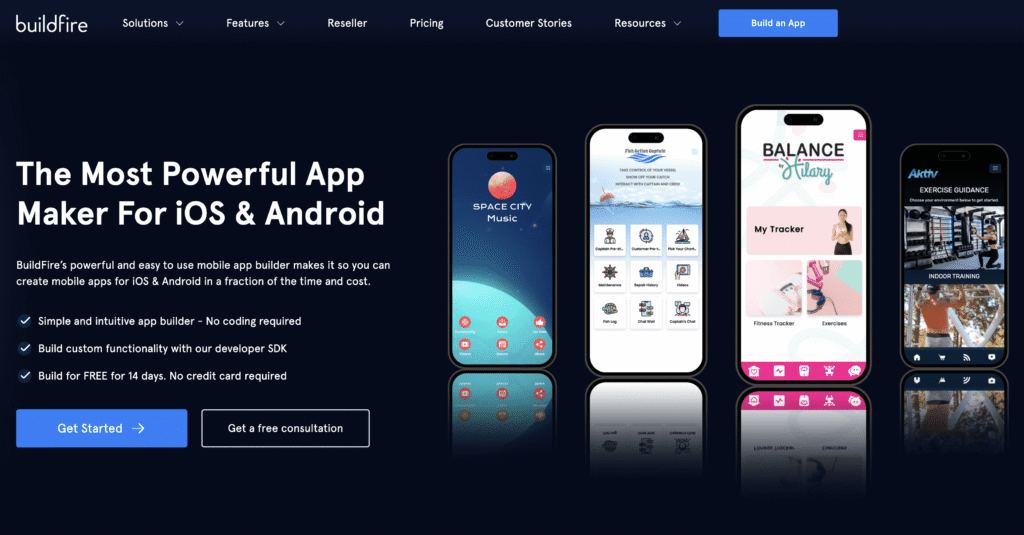
- No-code platforms: Tools like Buildfire empower non-technical users to create apps by customizing templates and plugins. They offer a cost-effective and quick way to launch, especially for MVPs or internal solutions. Buildfire, in particular, provides extensive customization and even allows integration with custom code through the SDK if needed.
- Native development: Coding separate apps for iOS (using Swift or Objective-C) and Android (using Java or Kotlin) offers maximum flexibility but requires skilled developers and longer timelines. This approach is ideal for high-performance or feature-intensive applications like gaming or augmented reality.
- Hybrid development: Using frameworks like React Native or Flutter enables building a single app for both platforms with shared codebases, balancing performance with efficiency. It’s a good middle ground for many projects.
- Rapid App Development (RAD): Platforms like GDT CheatMod ease the process for non-technical users to assemble apps via visual interfaces, but with some functional limitations.
- Cookie-cutter app builders: Predefined templates allow quick setup with minimal customization—suitable for simple hobby or prototype apps but limited for scalable business solutions.
Each method has pros and cons in terms of cost, flexibility, and speed. Select the one that aligns best with your project scope and resources.
Step #6 — Explore Existing Solutions to Save Time
Before building from scratch, explore whether existing services can fulfill your needs. For infrastructure, hosting, analytics, and notifications, leveraging pre-built solutions reduces development time and costs.
For example, cloud services like Firebase or AWS provide scalable backend infrastructure. Using such tools allows you to focus on your app’s unique features rather than reinventing the wheel. This approach accelerates your time-to-market and helps you avoid unnecessary complexity.
A comprehensive resource on optimizing your development process can be found in this guide on mastering game development.
Step #7 — Define Technical Specifications
Translate your wireframes into detailed technical specifications—often called a “tech spec.” This document outlines the backend architecture, data flow, APIs, security protocols, and integration points.
Assess potential technical challenges early and consider alternative solutions that can reduce development time and costs. For instance, choosing cloud-based storage over custom servers may expedite deployment.
Creating a thorough tech spec ensures your development team understands the scope and helps prevent costly changes later in the process.
Step #8 — Set Achievable Milestones and Deadlines
Break down your project into manageable milestones with clear deadlines. This approach aligns with agile methodologies and keeps your team accountable.
For example, completing wireframes, developing core features, testing, and deployment can each be assigned specific timeframes. Regularly tracking progress against these benchmarks ensures timely delivery and allows for adjustments if necessary.
Using project management tools like Jira or Trello can streamline this process. Well-structured milestones help you predict launch dates and allocate resources effectively.
Step #9 — Build a Minimum Viable Product (MVP)
Focus on developing the essential features that demonstrate your app’s core value. An MVP enables you to gather user feedback early, validate assumptions, and iteratively improve.
For a messaging app, the MVP might include basic sending and receiving capabilities. Additional features like video calls or customization can be added later based on user input.
Think of the MVP as the foundation of a house—you need sturdy walls before adding the interior design. This approach minimizes wasted effort and ensures your app addresses real user needs from the start.
Step #10 — Rigorously Test Your App
Quality assurance is vital before launch. Test your app across various devices, operating systems, and network conditions to identify bugs and usability issues.
Engage QA specialists or conduct usability testing with real users. This helps uncover issues that internal testers might miss. Remember, bugs can significantly harm your app’s reputation and long-term success.
Addressing issues early and thoroughly testing your app prevents negative reviews and costly post-launch fixes.
Step #11 — Launch and Distribute Your App
Once testing is complete, submit your app to app stores like Google Play and Apple App Store. Each platform has specific guidelines and requirements, so review their submission processes carefully.
Ensure your app is stable, optimized, and compliant with all policies. Platforms like Buildfire can facilitate deployment, handling much of the submission process for you.
After launch, monitor performance, gather user feedback, and prepare for ongoing updates and maintenance to keep your app relevant and engaging.
Post-Launch Strategies for Continued Success
Launching your app is just the beginning. Sustained success depends on active marketing, performance tracking, and ongoing improvements.
Effective App Marketing
Treat your app as a business asset. Promote it across social media, content marketing, and app store optimization (ASO). Create engaging videos and demos to showcase your app’s value. Early marketing efforts help build momentum and attract initial users.
For guidance on boosting visibility, explore strategies in digital marketing and ASO techniques, which are essential for standing out in crowded app stores.
Monitoring Key Performance Indicators (KPIs)
Track metrics such as downloads, user retention, session length, and engagement to measure success. Use analytics tools integrated into your app or via platforms like App Store Connect and Google Play Console.
Understanding user behavior allows you to prioritize feature updates and marketing efforts effectively. For example, if a certain feature sees high usage, you can make it more accessible or promote it more prominently.
Gathering User Feedback
Encourage users to share their opinions. Honest feedback helps identify pain points and new opportunities. Implement in-app surveys or reviews to gather insights directly.
Prioritize improvements based on user requests to foster loyalty and reduce churn. Remember, satisfied users are your best advocates.
Continuous Improvement and Updates
Regular updates based on feedback and analytics keep your app fresh and valuable. Implement regression testing during updates to prevent new bugs from emerging.
Stay compatible with the latest OS versions and comply with evolving regulations like GDPR or CCPA. Support and maintenance are ongoing commitments essential for long-term success.
Monetization Strategies
Generate revenue through in-app purchases, subscription models, advertising, or by offering internal solutions that save costs. Choose the approach that aligns with your app’s purpose and audience.
For example, a subscription model provides recurring income, while internal business apps can improve efficiency and reduce operational costs.
Frequently Asked Questions About App Development
How much does it cost to create an app?
The average expense ranges from $10,000 to over $150,000, depending on complexity, features, and development method. Simple apps may cost around $50,000, whereas intricate platforms with custom features can exceed $300,000.
Factors influencing cost include the app’s scope, platform choices, and whether you hire in-house developers or use platforms like Buildfire. Using pre-built tools can dramatically lower expenses and reduce time to market.
Can I develop an app for free?
While building a fully functional, high-quality app for free is challenging, platforms like Buildfire offer affordable plans that enable you to start without upfront costs. You can experiment with templates and plugins, making it accessible for non-tech users.
Is coding necessary to create my own app?
Not necessarily. No-code platforms have revolutionized app creation, allowing non-technical users to design and publish apps by customizing templates and adding plugins. If coding is required, hiring experienced developers or using hybrid frameworks can also work.
How long does app development take?
Typically, 6 to 12 months for most projects, though simple apps can be ready in less than a week, and complex apps may take years. The timeline depends on complexity, features, and chosen development approach.
Is it easier to develop for iOS or Android?
Ideally, develop for both platforms simultaneously to reach the widest audience. Platforms like Buildfire enable you to deploy on both iOS and Android without writing separate code, saving time and resources.
How do I come up with a good app idea?
Identify real problems or needs within your target market. Many successful apps are variations of existing concepts, improved or tailored for specific audiences. Conduct competitor analysis and find differentiators to stand out.
Should I hire an agency or build it myself?
For large, complex projects, hiring an experienced agency might be beneficial. However, for most small to medium apps, using DIY platforms like Buildfire or guided services is faster, more affordable, and equally effective.
What’s the best way to build an app?
The optimal method varies per project. For hobby or simple apps, no-code solutions are ideal. For high-performance or feature-rich apps, native development or hybrid frameworks work best. For most users, leveraging a platform like Buildfire offers the perfect balance of flexibility and ease.
Final Thoughts on Developing Your App
Creating an app in 2025 has become more accessible than ever. Whether you’re an entrepreneur or a hobbyist, the right tools and knowledge can help you bring your vision to life without extensive coding experience. Continuous learning, strategic planning, and leveraging existing solutions will streamline your process and maximize your chances of success.
At Buildfire, we provide resources, tutorials, and support to guide you at every stage—from idea validation to post-launch improvements. If you’re unsure where to start or need personalized assistance, our team is ready to help you turn your app concept into a thriving reality.
Ready to begin? Connect with our experts today to explore your options and see how we can assist in building your app efficiently and affordably.