


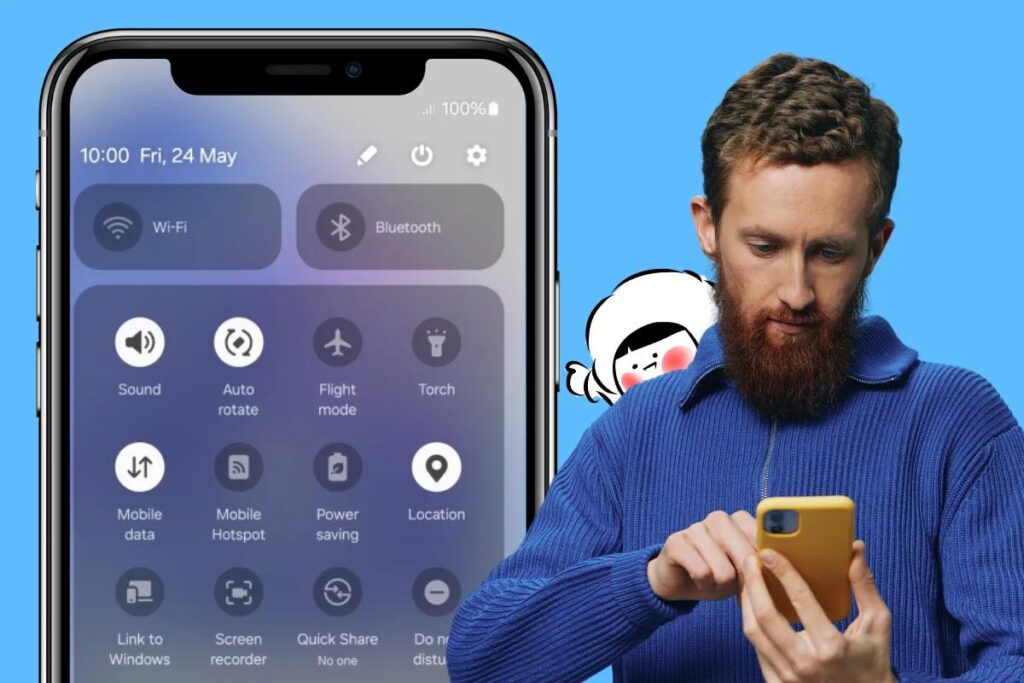
Mobile data is an essential feature that keeps your smartphone connected to the internet when Wi-Fi isn’t available. Whether you’re browsing social media on a subway, streaming music during a walk, or messaging friends while abroad, mobile data ensures you stay online without needing a Wi-Fi network. It operates by transmitting internet information through your carrier’s cellular network, utilizing towers and radio waves to maintain your connection. As long as your device has signal, you can access the internet effortlessly—no need to hunt for a Wi-Fi hotspot or remember passwords. This portability of internet access is what makes mobile data a vital part of modern mobile device usage.
What Is Mobile Data Used For?
Mobile data enables a wide range of activities that you would typically perform over a Wi-Fi connection. These include:
- Messaging applications such as WhatsApp, Telegram, Line, Signal, and iMessage allow you to stay in touch with friends and family anywhere.
- Streaming services like YouTube, Spotify, and Apple Music let you listen to music or watch videos on the go.
- Navigation tools like Google Maps or Apple Maps help you find directions and explore new places.
- Web browsing and email checking keep you updated with the latest news and communications.
- Voice and video calls through platforms such as FaceTime, Zoom, or WhatsApp facilitate remote conversations.
- Content consumption on apps like TikTok, Netflix, and Instagram keeps you entertained throughout your day.
It’s important to note that these activities consume varying amounts of data. Watching high-definition videos on YouTube, for example, uses significantly more data than simply checking your email. Managing your data consumption is crucial if you’re not on an unlimited plan.
What Is Mobile Data on iPhone?
On iPhones, accessing and managing mobile data settings is straightforward. To locate these options:
- Open Settings > Cellular.
- Use the Cellular Data toggle to activate or deactivate mobile internet.
- Scroll down to see detailed data usage per app, which helps you monitor your consumption.
iPhones also offer a Low Data Mode designed to help conserve your data allowance. This feature reduces background activity and limits automatic downloads, and can be enabled via:
- Settings > Cellular > Cellular Data Options > Low Data Mode
Additionally, iPhones include a feature called Wi-Fi Assist, which automatically switches your device to mobile data when your Wi-Fi connection weakens. While convenient, it’s advisable to monitor this setting, as it can unexpectedly increase your data usage and potentially lead to overage charges.
What Is Mobile Data on Android?
Android devices typically give you control over mobile data through the Quick Settings menu or the main system settings. To manage it:
- Swipe down from the top of your screen to access Quick Settings.
- Tap the Mobile Data icon to toggle the connection on or off.
- For more detailed options, go to Settings > Network & Internet > Mobile Network.
In this menu, you can see your data usage, identify which apps consume the most, and establish limits or warnings to prevent exceeding your plan. Android also offers features such as:
- Data Saver mode, which restricts background activity.
- Setting monthly data warnings or caps to help control your usage.
- Restricting data access on specific apps.
These tools are especially useful when roaming or using prepaid plans, ensuring you avoid unexpected charges.
Here’s a gift for you!
Free 500MB Global eSIM
Enjoy 50% off your first eSIM purchase (up to $15), valid for two years. This allows you to stay connected effortlessly while traveling. You can learn more about the benefits of eSIM technology in our comprehensive introduction to the entity component system architecture.
How Much Mobile Data Do You Need?
Mobile data is quantified in units like kilobytes (KB), megabytes (MB), and gigabytes (GB). Every activity on your device consumes some data, and understanding these estimates can help you manage your plan effectively:
- Sending one WhatsApp message typically uses just a few KB.
- A one-minute video call may consume approximately 5 MB.
- Listening to music on Spotify for an hour might use around 50 MB.
- Watching a low-resolution Netflix stream for an hour can use roughly 300 MB.
If you have a limited data plan, these figures highlight the importance of monitoring your usage. Features like Low Data Mode or Data Saver can make your plan last longer by reducing unnecessary data consumption.
What Happens If You Run Out of Mobile Data?
Running out of data can lead to several scenarios, depending on your carrier and plan:
- Your internet speed may be throttled, making browsing and streaming painfully slow.
- You might incur overage charges, which are additional fees for data used beyond your plan limits.
- Your data connection could stop entirely until you purchase more or your billing cycle resets.
To avoid these issues, it’s advisable to regularly check your data balance. Many carriers support dual SIM technology, giving you a backup data option if needed.
What Is Data Roaming?
Data roaming becomes active when you leave your home country, connecting your phone to partner networks abroad. This allows continued access to mobile data but often at high costs. Some carriers charge per MB or offer expensive day passes, which can quickly inflate your bill.
Smart travelers often opt for a local eSIM or a global travel eSIM, such as Eskimo, to reduce costs and simplify connectivity. Using a local or international eSIM ensures seamless access to services like YouTube abroad without the fear of unexpected charges.
How to Save Mobile Data
Managing your data effectively involves simple but impactful strategies:
- Turn off auto-play features for videos on apps like Instagram or TikTok.
- Disable background data for apps that don’t need constant updates.
- Use Lite versions of popular apps, such as Facebook Lite or Google Maps Go.
- Download content offline before traveling to avoid streaming over mobile data.
- Connect to Wi-Fi whenever available to conserve your cellular data.
For WhatsApp, disabling media auto-downloads and enabling low data mode for calls can significantly reduce data consumption, especially when roaming.
Why Eskimo Makes Mobile Data Travel-Friendly
Mobile data doesn’t have to be complicated or costly. With Eskimo eSIM, you gain access to:
- Global internet coverage in over 130 countries.
- No speed restrictions or daily limits on fixed data plans.
- Unlimited data options for heavier users.
- Two-year data validity with rollover options.
- Instant data sharing among Eskimo users.
- Affordable rates, starting as low as $1.80 per GB.
First-time users also receive 500MB of free global data. Discover more about how modern eSIM solutions can enhance your travel experience in our deep dive into game development tycoon.
FAQs
What is the primary purpose of mobile data?
It allows your device to connect to the internet when Wi-Fi isn’t accessible, supporting activities like messaging, navigation, streaming, and browsing.
Is mobile data the same as Wi-Fi?
No. Mobile data relies on your cellular carrier’s network, whereas Wi-Fi uses a local router connected to the internet.
Can I use mobile data while traveling internationally?
Yes, but it’s wise to check roaming costs or consider using an international eSIM for more affordable options.
How do I enable or disable mobile data?
On Android: Navigate to Settings > Network > Mobile Network.
On iPhone: Go to Settings > Cellular > Cellular Data.
What activities consume the most mobile data?
Uploading and downloading large files, streaming videos, participating in video calls, and autoplay features in social media apps tend to use significant amounts of data.
Share to
Written by a real person 💙
Hansel Arief
As the Digital Lead for Eskimo eSIM since 2021, I enjoy exploring lesser-known travel destinations and tasting authentic local cuisines. My goal is to help travelers stay connected seamlessly and affordably worldwide.
Inspiration to Get You Going
Keep up with the latest advancements in eSIM technology and how they can enhance your international travels. Learn more on our blog.